Cricut sent me the new AutoPress 2 – 15×15 before it launched, and I’ve been putting it through the wringer — DTF, sublimation, HTV, rhinestones, even a shirt for my daughter’s nursing school graduation. And I have thoughts…good ones.
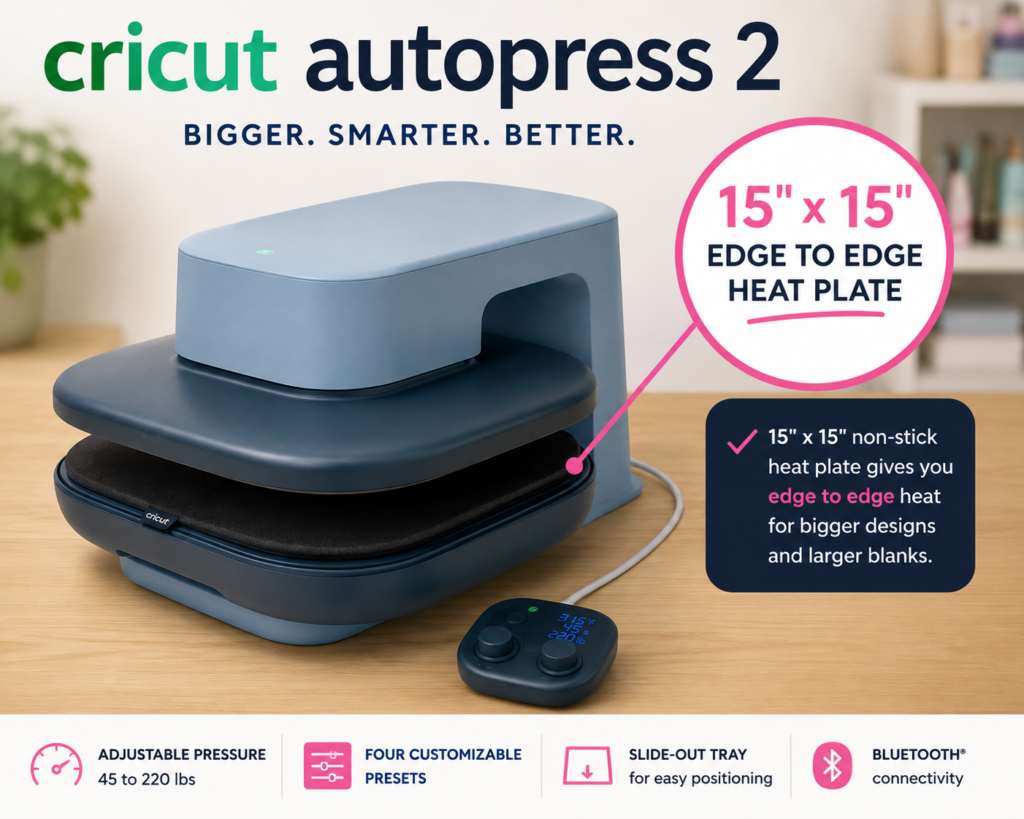
Let’s start with the big one: pressure. This thing goes from about 45 pounds all the way up to 220 pounds, and that’s a game changer. If you’re just doing basic HTV, sure, you might not notice. But throw some DTF at it — the stuff that makes lesser presses tap out — and suddenly that extra muscle matters a whole lot. Honestly, that 220-pound max is the feature I keep coming back to. It’s the difference between “cute hobby machine” and “this can actually handle my whole business.”
The workspace got a glow-up too. We’re talking a full 15″ x 15″ heat plate, which is the chef’s kiss for sweatshirts, tote bags, and bigger designs you don’t want to press in awkward sections. My craft room thanks me.
And can we talk about the slide-out tray for a second? No more fighting a clamshell or swinging a press out of your way — you just pull the tray toward you, line everything up nice and easy, then slide it back in. It sounds small, but once you use it, you get it. The mat has a non-slip backing too, so nothing’s sliding around while you’re loading up your project. Little details, big difference.
If you make things in batches — matching shirts for a trip, a school group, customer orders — Auto Mode is going to be your new best friend. Turn it on, slide the tray in, and it presses on its own timer, then lifts when it’s done. You just keep loading and unloading. It’s the kind of feature that doesn’t feel like a big deal until you realize how much time it just saved you.
I threw everything I had at this machine — DTF, sublimation, holographic and glitter HTV, rhinestones, ColourPop Iron-On — and it handled all of it beautifully. My sublimation mouse pad came out bright and vibrant, no pressure hiccups, no consistency issues. Just… it worked. Every time.
There’s a Design Space app connection too, which is great if you want guided settings for time, temp, and pressure — especially handy if heat pressing is still new to you. But you don’t NEED it. The Control Pod lets you adjust everything right on the machine, plus there are four presets for your go-to combos. I like having both options honestly.
A couple honest notes: this is not a portable press. It’s heavy, so pick your spot and commit — just make sure you’ve got room for that tray to slide out too. And it fits materials up to about 1.8 inches thick without the mat, which covers most of what I make, but worth knowing if you work with chunkier blanks.
So who’s this for? If you’re pressing one shirt a year, you probably don’t need this beast. But if you’re running a small business, making apparel regularly, working with DTF, or batch-pressing for events — this thing earns its spot on your counter.
At $379, it’s a lot more approachable than the original AutoPress was at launch, and honestly? I think it’s worth the closer look.
Get the Cricut Autopress 2 on Amazon.
Happy crafting, friends!
Disclosure: Cricut provided the AutoPress 2 for testing ahead of launch, but all opinions are 100% mine. Some links may be affiliate links — no extra cost to you, just helps keep the lights on around here.